Pointwolf for Jira Cloud
Order the stories inside your epic without touching your board.
Every epic gets its own order. Drag its stories into the order you want them done and Pointwolf saves it on the epic. The board's rank stays where your team left it.
 Epic order
- 1Sign-up flow
- 2Password reset moved
- 3Email verification
- 4Profile settings
- 1Sign-up flow
- 2Email verification
- 3Profile settings
- 4Password reset
Board rank stays put
01How it works
-
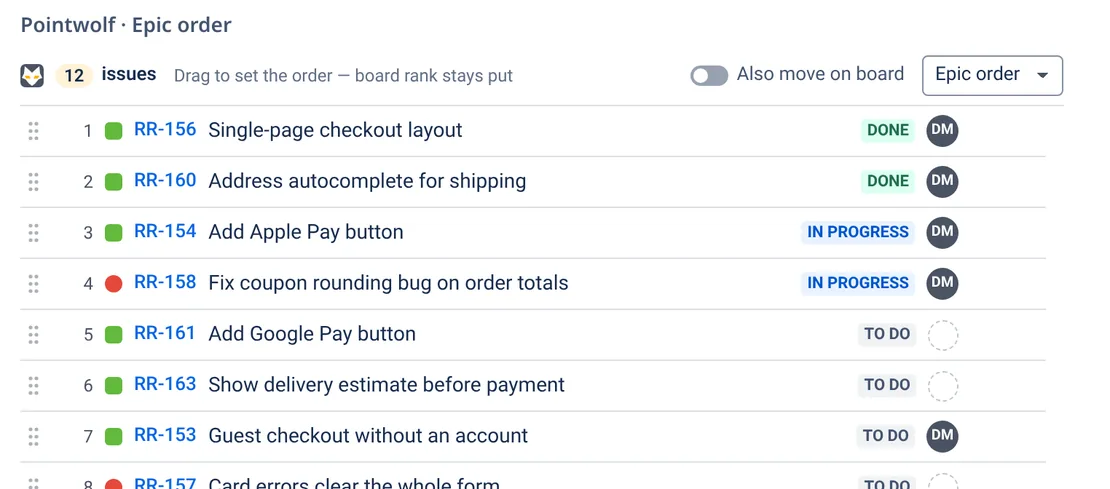
Open an epic
An Epic order panel lists every child story, task and bug with its status and assignee.
-
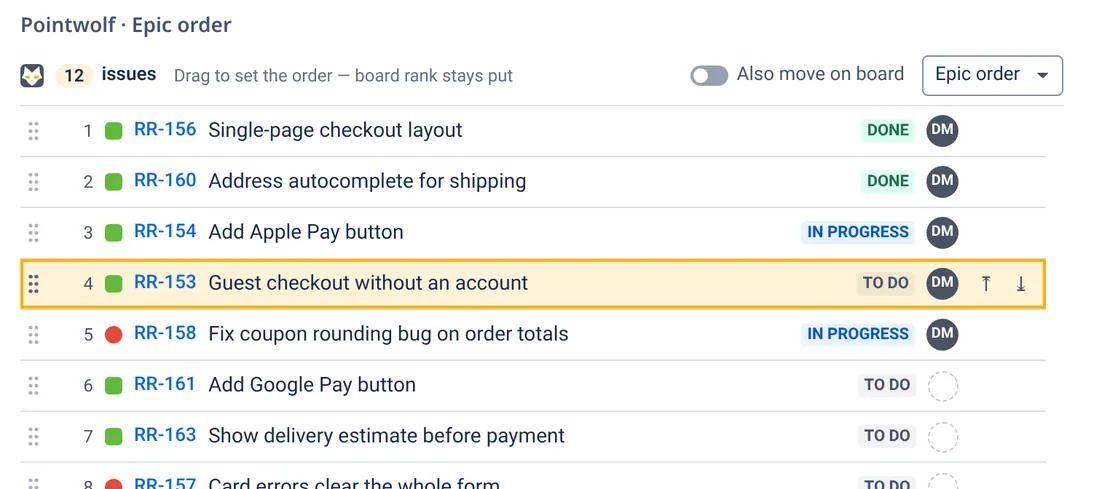
Put it in order
Drag a row, or focus it, press Space and move it with ↑ ↓. It saves straight away, and Undo is one click.
-
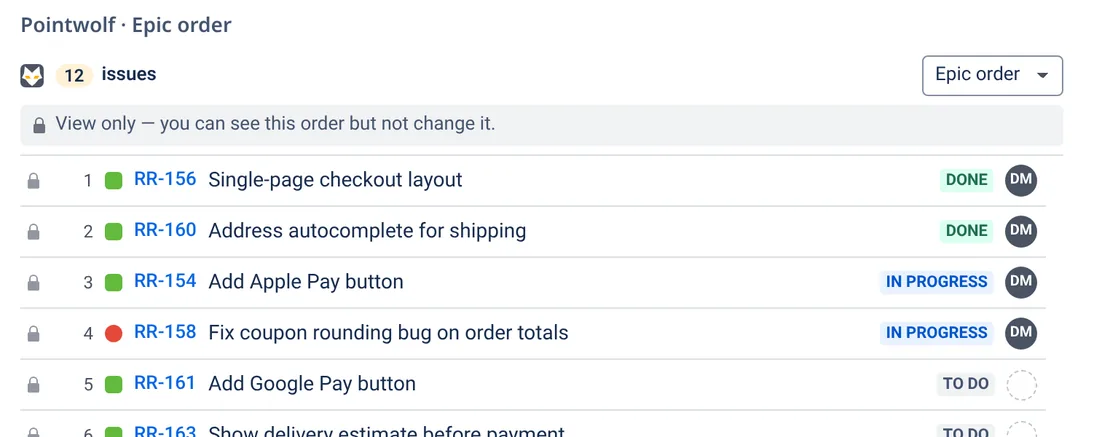
Everyone sees the same order
The order belongs to the epic, so the whole team works from one list. People who can't edit the issues see it in view-only mode.


02Why Pointwolf
Board rank stays put
The epic order is separate from rank, so the board and backlog don't move. Turn on Also move on board only if you want them to follow.
A field you can search
The order is saved in an Epic position field. Use it in JQL (
ORDER BY "Epic position"), filters and exports.No notifications
Reordering stories in an epic sends no notifications and adds nothing to the issue history or the "Updated" date. This is for the epic order itself, not the optional Also move on board toggle.
Your own sort view
Sort the list by status, priority, key or board rank for yourself. Pointwolf remembers your choice, and the shared order doesn't change.
Keyboard first
Pick up a row with Space, move it with the arrow keys, and drop it or cancel. Screen readers announce each move.
View-only when it should be
Only people with permission to edit the issues can reorder them. Everyone else can still read the order.

03Pricing
Free for teams up to 10 users.
Paid tiers are coming with the Marketplace launch.
04FAQ
Does it work in company-managed and team-managed projects?
Yes, in both. In company-managed projects the order is saved in the Epic position field, so you can search, sort and export it with JQL. Team-managed projects don't support app fields, so there the order is saved as issue data instead. The panel works the same way, but you can't search or sort by Epic position in JQL.
Where is my data stored?
Pointwolf is built on Atlassian Forge and runs on Atlassian's own platform. The order is saved in your Jira site, and each person's preferences are saved in Forge app storage. The app doesn't call any server outside Atlassian, so no data leaves Atlassian. See the privacy policy.
Does it work in dark mode?
Yes. The panel follows Jira's light, dark and match-system themes.
Will reordering change my board or backlog?
No, unless you ask it to. The epic order is separate from board rank. If you turn on Also move on board, Pointwolf moves the issue on the board as well, and only when that's needed.
Does reordering send notifications?
No. Changing the epic order doesn't email anyone, and it doesn't add anything to the issue history. If you turn on Also move on board, that changes Jira's own board rank, which can notify people.
Who can change the order?
Anyone with Jira's Edit issues permission for those issues. Everyone else who can browse the epic sees the order in view-only mode.
How do I add the panel to an epic?
Open the epic and click Apps → Pointwolf · Epic order. A Jira admin can choose Show for all work items so the panel appears on every epic.

Give every epic its own order.
Pointwolf is coming to the Atlassian Marketplace soon.